


If you’ve been hearing the term “managed IT support” but aren’t entirely sure what it means, what it covers, or whether it’s the right move for your business, you’re not alone. It’s one of the questions we get asked most often at Amita, and it deserves a straight answer rather than a sales pitch.
In this guide, we’ll explain exactly what managed IT support includes, how it compares to keeping IT in-house, and how to decide which approach makes sense for your business. Just an honest picture from a team that’s been doing this for over 20 years.
What Is Managed IT Support?
Managed IT support is an outsourced IT department, where a third-party provider, known as a Managed Service Provider (MSP), takes on some or all of a business’s IT responsibilities. Instead of hiring your own IT staff or firefighting technology problems as they arise, you hand that responsibility to a specialist team.
Exactly what that covers will vary from provider to provider and contract to contract, both in terms of what they choose to include and what they’re actually capable of delivering. That’s why it’s worth understanding what good managed IT support should include, so you can ask the right questions before you sign anything.
What’s Included in Managed IT Support?
At a glance, a well-structured managed IT service should cover:
- A dedicated helpdesk
- Clear, documented responsibilities
- Cyber security and compliance
- Proactive monitoring
- Backup and business continuity
Here’s what each of those actually means in practice.
A Dedicated Helpdesk
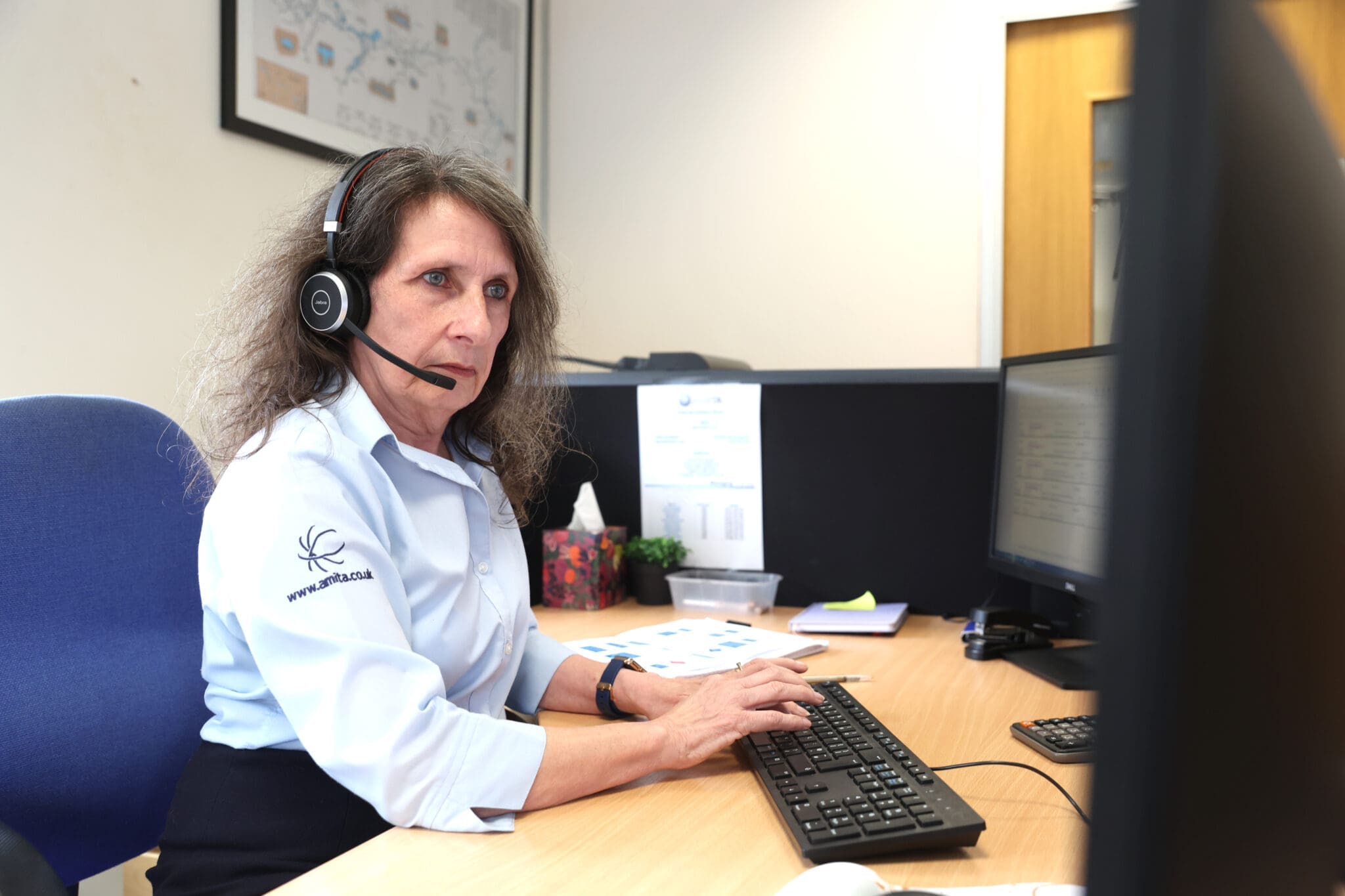
The starting point of any managed IT service is access to a helpdesk. This might be via telephone, email, an online ticketing system, or an on-site technician, or a combination of all of these. What matters is that you have a single, reliable point of contact where you can raise issues and get them resolved quickly.
At Amita, we offer 24/7 helpdesk support with a one-hour response time for business-critical issues, because we know that when something goes wrong, waiting isn’t an option.
Clear Responsibilities
One of the most underestimated benefits of managed IT support is knowing exactly who is responsible for what. When IT is managed in-house, tasks can fall into grey areas, especially around things like software licensing, spam filtering, or security updates. With an MSP, those responsibilities are documented and owned.
You can choose to offload specific tasks, email spam protection, software licence management, network monitoring, or hand over the full picture. Either way, it’s written down, agreed, and someone is accountable for it.
Cyber Security and Compliance
A good managed IT provider will also cover your cyber security needs. This typically includes patch management (keeping your software and security updates current), antivirus and malware protection, data encryption, and firewall management.
If you’re working towards Cyber Essentials certification or need to meet compliance requirements like ISO 27001, many MSPs, including Amita, can guide you through the process and help ensure you’re ready before you go through your formal assessment.
Proactive Monitoring
This is where managed IT support really earns its keep for most businesses. Rather than waiting for something to break and then fixing it, proactive monitoring means your devices and systems are watched continuously, and issues are caught before they become problems.
A simple example: in the past, if your PC ran out of disk space, you wouldn’t know until it stopped working. With proactive monitoring, the system flags the issue to the helpdesk automatically, and the machine gets cleaned up remotely in the background, before you even notice anything is wrong. Many of our clients see a significant reduction in helpdesk tickets over time, precisely because a large proportion of issues are being resolved before they happen.
Backup and Business Continuity
Managed IT support can also include automated backup and disaster recovery planning, taking the responsibility of running and checking backups off your plate entirely.
That said, and we say this as people who manage backups professionally, we still recommend that customers periodically test their own restores independently. As we explored in our guide to local backup vs cloud backup, just because a backup reports success doesn’t always mean it will work when you need it. A good MSP will welcome that kind of oversight rather than discourage it.
Managed IT Support vs In-House IT: What’s the Difference?
This is the comparison most business owners are really trying to make. Here’s an honest breakdown.
The Case for Managed IT Support
- Predictable costs: With managed IT support, you pay a fixed monthly fee for an agreed set of services. No surprise bills when something breaks, no emergency call-out charges, no one-off costs for major outages. That predictability makes budgeting significantly easier.
- Access to a broader range of expertise: An in-house IT person, however capable, can only know so much. An MSP gives you access to a whole team of specialists across networking, security, cloud, software, and infrastructure. A practical example: a database server installation might happen once every five years in your business. Your internal IT team would be starting from scratch each time. An MSP does this regularly and brings that accumulated experience to every job, which means a better outcome in less time.
- Scalability: Managed IT services are typically priced per user or per device, which makes scaling straightforward. Adding ten new staff members? The IT provision scales with you, without the need to recruit.
- Focus on your business: Perhaps most importantly, managed IT support removes the burden of technology management from your desk and puts it where it belongs, with people who do it every day.
The Case for In-House IT
- Deeper business knowledge, at the start: An in-house IT person knows your business, your quirks, your legacy systems. An MSP won’t have that knowledge on day one, and the initial onboarding period requires investment of time from your internal team. The savings and efficiency gains tend to come further down the road as the provider’s understanding deepens.
- Full control: Some businesses, particularly those with complex, sensitive, or heavily regulated systems, prefer to keep everything under one roof. That’s a legitimate choice, and not every business is the right fit for outsourced IT.
- Cost at lower scale: For very small businesses with straightforward IT needs, a single part-time IT person may be more cost-effective than a full managed service. The calculation changes as complexity and headcount increase.
Does Your Business Actually Need Managed IT Support?
Here are some honest signals that it might be the right move:
- Your IT problems are taking up more time than they should. If you or your team are spending significant hours each week dealing with tech issues, slow systems, or security concerns, that’s time that isn’t being spent on your actual business.
- You’ve had a scare, or a near miss. A ransomware attack, a data loss, an outage that cost you a day’s work; these are wake-up calls that managed IT support is designed to prevent.
- You’re growing. Adding staff, opening new locations, moving to hybrid working; all of these increase IT complexity. Managed IT support scales cleanly with growth in a way that ad hoc support doesn’t.
- You don’t know what your backup situation actually is. If you’re not certain whether your data is backed up, who’s responsible for it, or whether a restore would work, that’s a significant risk that an MSP would address on day one.
- You want predictable costs. If unexpected IT bills are a recurring problem, moving to a fixed monthly service removes that uncertainty entirely.
Conversely, managed IT support might not be the right fit if your IT needs are very simple, you already have strong internal capability, or you have specific compliance requirements that make full outsourcing impractical. A reputable MSP will tell you this honestly rather than push you into a service you don’t need.
Already know managed IT support is what you need? Take a look at Amita’s managed IT support service or get in touch for a no-obligation conversation.
How Amita Approaches Managed IT Support
We work with businesses across Cheshire ranging from small teams of two or three people to organisations with over 200 users. Every client gets the same breadth of expertise and the same flat-rate pricing; we don’t charge more for different types of support calls.
Our managed IT support service covers everything from day-to-day helpdesk and proactive monitoring to security, compliance, backup, and infrastructure — all under one roof, all for a fixed monthly cost.
If you’d like to understand what that would look like for your business specifically, the best place to start is a conversation. No hard sell, just an honest assessment of where you are and what would actually help.